
Searching Cases by Name
Court first, name second. That is the working rule for a name search. Superior, State, Juvenile, Probate, Magistrate, and municipal records in Chattooga County sit with separate clerks. Copy the caption and party spelling straight from a notice, pleading, citation, or order. Jot down the court plus the rough filing year along with the name.
For State or Superior cases, Georgia Courts E-Access points Chattooga users to PeachCourt. PeachCourt sits behind an account. Plan on registering before you can run a name lookup. The local Clerk Case Search page offers credentials only. There is no guest name form there.
- Write down the court, case type, name spelling, and approximate year.
- Open the official Georgia E-Access link for Chattooga State or Superior, or use the separate court office for Probate, Magistrate, Juvenile, or city matters.
- Register or log in only through the official provider route.
- Compare any result with the notice, case number, court, and latest event.
- Contact the responsible clerk when no result appears or a document is unavailable.
| Search surface | Name field | Observed access |
|---|---|---|
| Georgia E-Access | No case-name field on landing page | Directory and redirect only. |
| PeachCourt | Exact search field not observed | Account required before the tested court-search route. |
| Chattooga Clerk Icon | No guest name field | UserID and UserPassword required. |
| Lyerly ticket portal | Account Last Name | Observed on the city ticket form, not a county case index. |
Chattooga Case Search Route
For a State or Superior case, the first click is Georgia Courts E-Access. Its Chattooga links point to PeachCourt. The e-file chart lists PeachCourt as mandatory for both courts. The statewide page itself does not search names. To register, PeachCourt asks for last name, first name, email, confirmation fields, a password, a secret question and answer, a reCAPTCHA, and a terms agreement.
So the route runs directory, then login, then account, then court search. No live Chattooga docket result appears without that account. Treat any claim about the exact case-number format, name matching, date filters, pagination, update cycle, or result columns with doubt. None of that shows publicly. The PeachCourt account registration route lays out the sign-up steps on its official page.
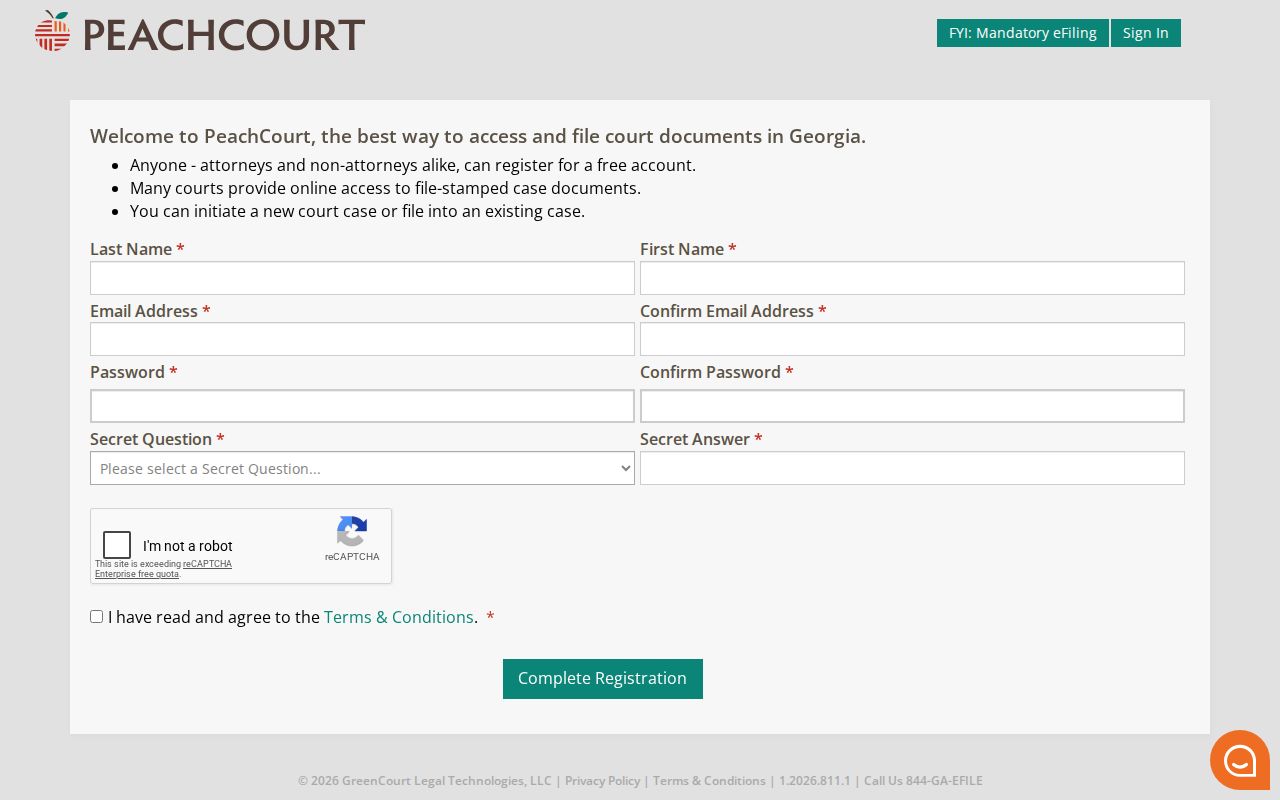
Registering opens the door to PeachCourt, though it promises nothing about which Chattooga filings you can actually view.
Searching by Case Number
A case number beats a common name for precision. The trouble is that no public Chattooga source shows the local number pattern. The Icon Case Management screen hides its number field behind credentials. PeachCourt's court docket search needs an account. Use the number exactly as printed on your notice, pleading, citation, or order. Never guess at a year, prefix, or court code.
Calling the clerk? Give the court, the full number if you have it, the rough filing year, and the document or event you need. A number copied off a calendar should be checked against the case notice. Check the setting label and all. The public LMJC monthly matrix lists no case numbers. So it cannot backfill one when the file is out of reach.
Observed local format: Chattooga case-number pattern not publicly observed
A city ticket works differently. Lyerly's official ticket page wants an Account Last Name and an Account Number. That setup is no model for a State or Superior case number.
Chattooga Case Search Fields
When you note what a search screen actually contains, keep what is visible apart from what you merely expect. The local clerk page displays only `UserID`, `UserPassword`, `Remember User Name`, and `Log In`. PeachCourt's registration fields are in plain view. The court-search fields stay hidden until you log in.
| Field or control | Type | Status | Format or limit |
|---|---|---|---|
| UserID | Text | Observed on Icon login | Credential field; public search not shown. |
| UserPassword | Password | Observed on Icon login | Credential field; no guest alternative observed. |
| Last name and first name | Text | Observed on PeachCourt registration, not court search | Account fields, not proof of name-search behavior. |
| Case number | Text | Not observed | Use the exact printed number if the clerk supplies it. |
| Court and case type | Selection | Not observed in public route | Choose the court from the official routing source. |
| Filing or setting date | Date | Not observed | Do not claim a range limit without an authenticated view. |
Record where the boundary sits rather than guessing at a field you never saw. A note saying a field was absent, login-hidden, or untested helps the next reader far more than a generic portal rule would.
What a Case Search Returns
A case search can hand you an index. It can also return an event history, a setting, or a document control. A complete case file is another matter. No live case result is publicly reachable in Chattooga. The field list below describes the record layers worth asking the clerk about. Keep this in mind too: a case entry can show up fine while a filing image stays sealed, restricted, unscanned, request-only, or behind a payment wall.
| Case identity | Court, case number, filing date, case type, and caption when publicly displayed. |
|---|---|
| Parties and attorneys | Role labels and counsel may appear when lawful; no private Chattooga sample was copied. |
| Events | Filing, service, answer, motion, order, hearing, plea, judgment, dismissal, appeal, or other docket entry. |
| Settings | Date and event type may appear; the LMJC monthly calendar alone lacks party and case-number fields. |
| Documents | View, request, unavailable, sealed, or restricted control states may distinguish the docket from the image. |
| Disposition | Final or interim outcome entered by the court, if visible and current. |
Save the URL, the access date, the court you selected, your search terms, and the result status. Without that context, a docket result becomes hard to verify once the portal updates.
Chattooga Search Access Boundary
PeachCourt's access page shows an email field, a password field, a password-recovery link, and registration. The public court-search route sits behind the same account gate. Vendor material says documents may be viewable, requestable, sealed, restricted, or unavailable. Document or page charges can apply too. Those are provider behaviors described at the access boundary. They are not a promise that every Chattooga case ends the same way. The PeachCourt account page lays out these access rules on its official site.
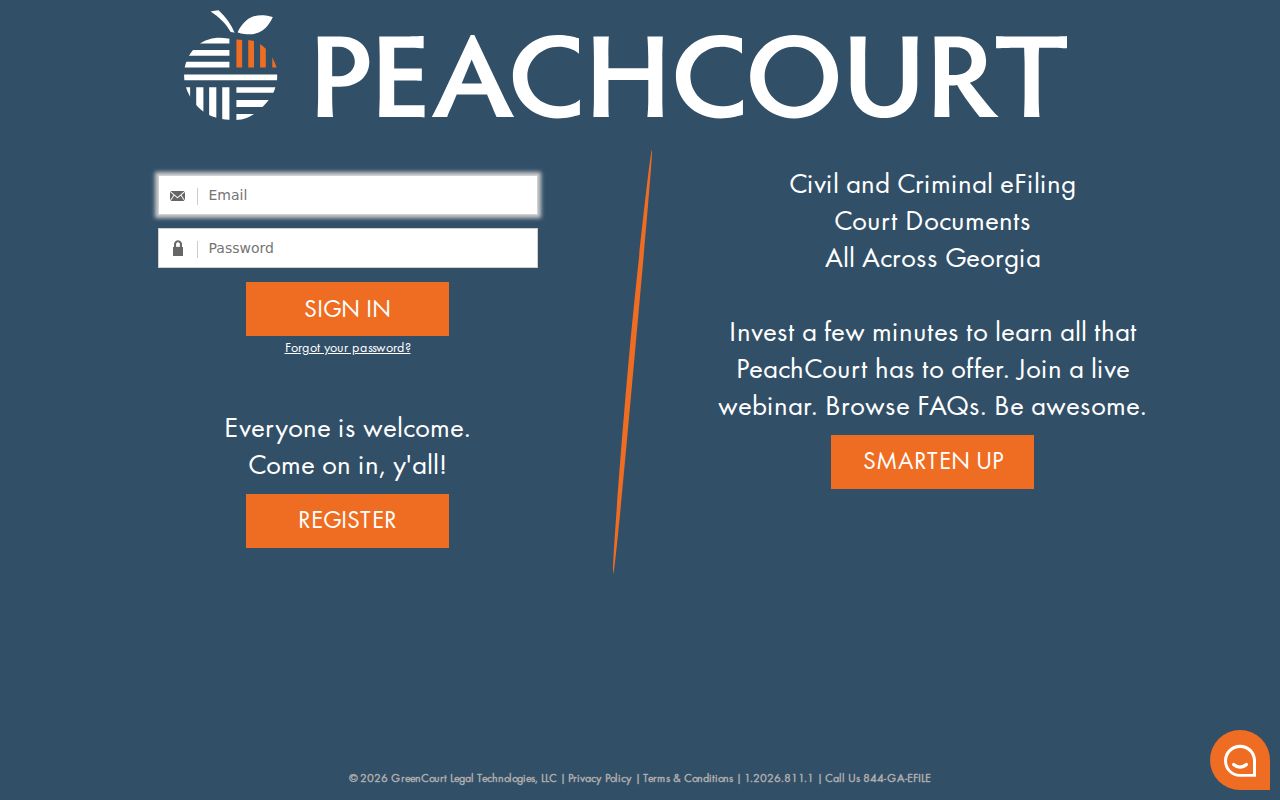
The account screen proves the gate exists. It shows no Chattooga docket result and no public name-search sample. The vendor's court-search route is a separate official surface worth checking directly.
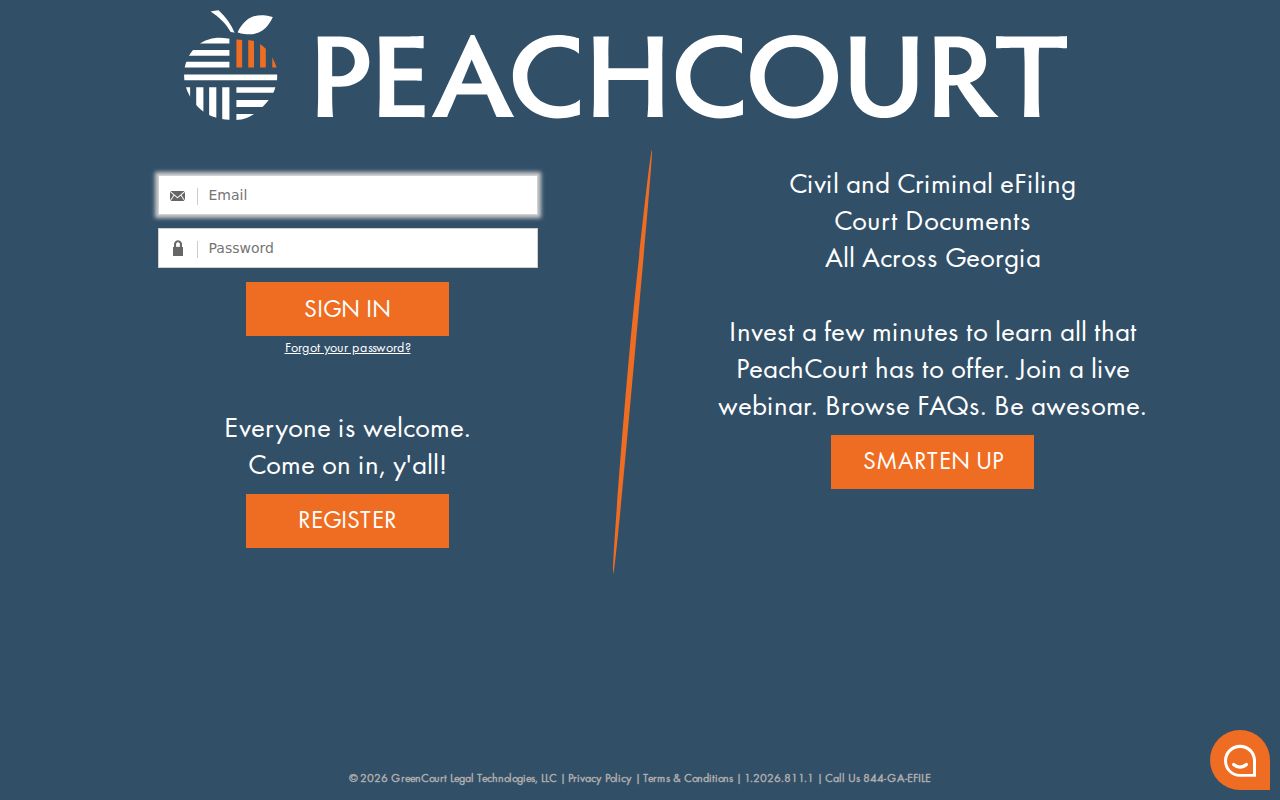
The search URL still requires the account boundary documented above.
Statewide vs County Case Search
Georgia's statewide directory and Chattooga's local clerk page do different jobs. E-Access sends State and Superior users to a vendor. The county clerk site carries office information, forms, and a legacy Icon login. Neither public surface serves a no-login Chattooga case result.
| Question | Georgia E-Access and PeachCourt | Chattooga Clerk route |
|---|---|---|
| What is it? | State directory, e-file route, and account-based provider. | Local office site and Icon Case Management login. |
| Search fields observed? | Registration and login fields; court search fields gated. | UserID, UserPassword, Remember User Name, Log In. |
| What courts? | Chattooga State and Superior in the official links. | Unified Superior, State, and Juvenile office context. |
| Fallback? | Clerk, counter, phone, or public-record request. | Call the office or address the actual custodian. |
Match the search to the court that actually holds the file. When the docket search stops short, call that court's clerk.
Chattooga County Clerk Search
Kim Windle James serves as clerk for Superior, State, and Juvenile records in Chattooga County. The office sits at 10035 Commerce Street, Summerville, Georgia 30747, and answers at 706-857-0706. Click the Case Search button and a credential screen appears. It is labeled Icon Case Management Version 5.1.3.1. So public case results are not simply there for the taking. A Forms page offers service links. It carries no public case-result grid and no complete copy-fee schedule.
Kim Windle James, Clerk of Superior Court
10035 Commerce Street
Summerville, GA 30747
706-857-0706
Ask the clerk's office directly whether the entry you need can be supplied at the counter, by mail, by phone, or through a clerk copy process. That one question saves a trip. The office publishes no public-terminal details, records-desk hours, ID rules, or local fee table. Confirm those items before you visit or send payment.
Access and Restricted Cases
Uniform Superior Court Rule 21 sets the public-access framework for Superior court files. Rule 21.6 governs protected identifiers. Juvenile records sit behind a separate confidentiality boundary. JDEX requires an authorized login rather than an open name search. Even a public-record request cannot force disclosure of a confidential record.
Result labels matter:
“No result,” “restricted,” “unavailable,” “not scanned,” and “not tested because login was required” describe different conditions.
Ask the clerk for the specific rule or order that limits access and for any releasable redacted portion.
GBI criminal-history restriction is a separate GCIC process and does not automatically delete a court-file entry.
The Georgia Courts E-Access page is the official source for that routing distinction.
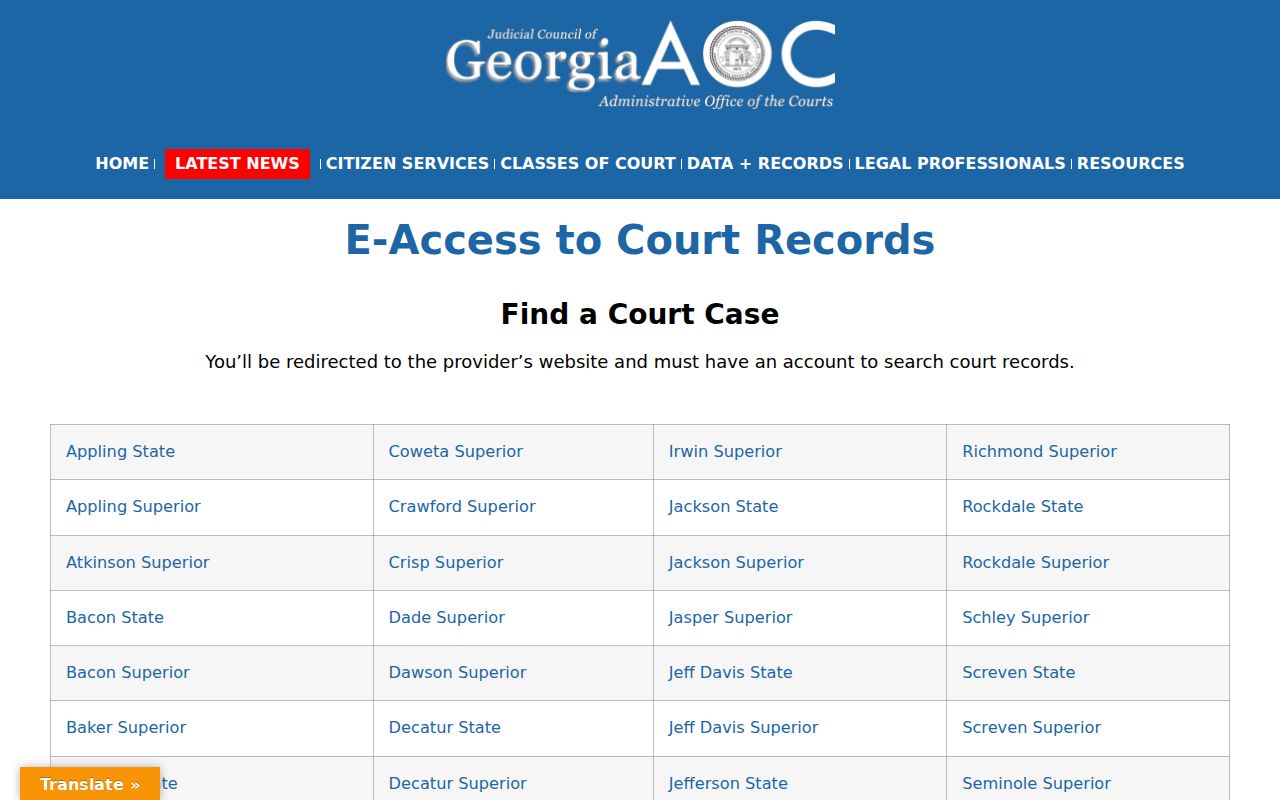
The statewide directory helps you route a docket search to the right office. For the official case record, though, the court or clerk remains the source.
Chattooga Case Search Coverage
Not every Chattooga matter lives in one portal. Probate, Magistrate, and city municipal records run through separate office or vendor routes. Menlo offers no current city portal for a case lookup. Lyerly's ticket page works only as a narrow account lookup. Summerville and Trion provide ticket-payment routes, each with different limits. Juvenile records stay access-controlled. Federal matters belong to PACER or CM/ECF. The Georgia traffic locator itself warns that the issuing court controls a ticket, and the Probate page and Magistrate page give separate contact routes. A result from one system never proves another court holds no record.
Chattooga Case Search Audit
Save what you did at every step of the case search. Record the URL, the date, and the court selected. Note any account or login requirement. Capture the name or case number used, and the result status. Note what the result actually exposed. It might be a docket, a document, a setting, a payment notice, or no public fields at all. That record makes a later refresh far more accurate. It also keeps a portal outage from being mistaken for a case outcome. A case search is complete only when the record's court and custodian are clear. Chasing a hearing date? Compare the case source with the Chattooga County court calendar. Need a filed document or certified copy? Contact the clerk that holds the file. Note: A search result is only a route to the docket. The originating court or clerk confirms the official record.